
ExpressVPN: VPN Fast & Secure
ExpressVPNTools
4.632.92K Reviews
- Version
- 12.87.0
- Installs
- 100.00M
- Age Rating
- Everyone
Screenshots
Our Review of ExpressVPN: VPN Fast & Secure
 Analysis by Appyee
I want a VPN to make everyday connections more private without turning each trip online into a technical project. That is the appeal of ExpressVPN: VPN Fast & Secure: it puts a simple connection flow first, while offering enough choice for people who want to pick a location themselves. I’d consider it for routine browsing on shared networks, but I wouldn’t treat a VPN as a substitute for careful account security or as a guarantee that every website will work unchanged.
A practical tool, not a privacy force field
ExpressVPN is a tools app from ExpressVPN, and its central job is to route your connection through a VPN server. That can help protect traffic between your device and the VPN service, particularly when you’re using a network you don’t control. It does not make you invisible: sites can still recognize accounts you sign into, and a VPN cannot stop phishing, weak passwords, or information you choose to share.
That distinction is worth keeping in mind before connecting. I find VPNs most useful as one layer in a sensible routine: use a screen lock, keep apps updated, avoid suspicious links, and turn on the VPN when the network or task calls for it. Expecting one tap to solve every privacy concern will lead to disappointment, no matter how polished the app is.
Where the one-tap approach helps
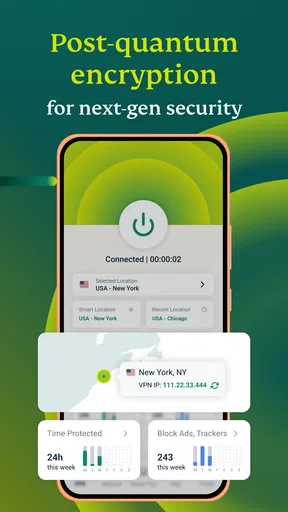
The straightforward connection flow is most valuable when I’m in a hurry. Imagine arriving at a café, joining its Wi-Fi to check a travel reservation, and then needing to open email. Rather than searching through settings or choosing a server without knowing what the options mean, I can use the app’s automatic location choice and get on with the task. That convenience makes a VPN easier to use consistently.
Manual location selection is useful for a different reason: it lets you make a deliberate choice instead of always accepting the automatic one. I’d start with the suggested location for ordinary browsing, then switch only when I have a clear reason, such as wanting a connection associated with a particular region. A farther-away server may add delay, so choosing a distant location just because it sounds useful can work against smooth calls, games, or other time-sensitive activities.
What the everyday trade-offs look like
A VPN adds another stop along the route between your device and a website. That extra routing can affect speed or responsiveness, and results depend on the network, server, and what you’re doing. A page-loading delay may come from weak public Wi-Fi rather than the VPN itself; conversely, if a video call becomes choppy after connecting, trying a nearer location is a sensible first check.
There is also a practical access trade-off. Some services may react differently when your connection appears to come from a VPN server, so a site or app that worked before connecting might ask for another sign-in or behave unexpectedly. If a banking app, work tool, or streaming service gives you trouble, disconnecting briefly to test the cause can be more useful than repeatedly changing locations. For sensitive work, follow your employer’s own network instructions rather than assuming a consumer VPN replaces them.
ExpressVPN is free to download, but the app includes in-app purchases priced from $9.99 to $116.99 per item. I would check the current purchase terms and renewal details in the app before committing, and decide whether I need the service often enough to justify the cost. Someone who only wants occasional protection on public Wi-Fi may prefer a simpler, lower-cost option if it meets their needs; a VPN used daily can make the convenience more worthwhile.
Setting Up and First Impressions
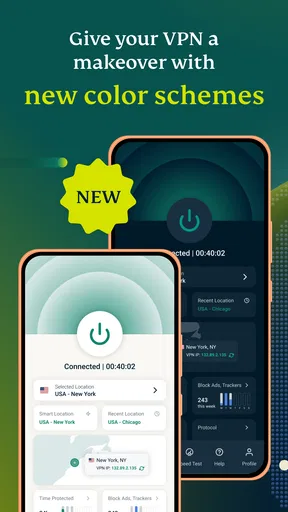
Getting started with ExpressVPN is a breeze. After downloading the app from your respective app store, the installation process is straightforward. The app greets you with a clean, intuitive interface. Even if you're not a tech wizard, you'll find it easy to navigate. A few taps, and you're ready to browse securely.
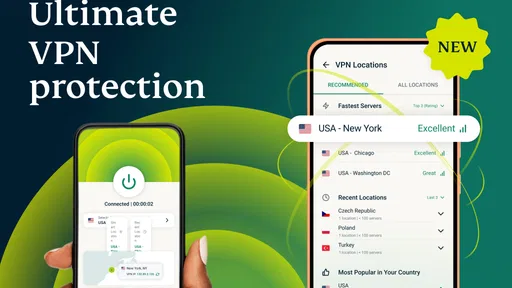
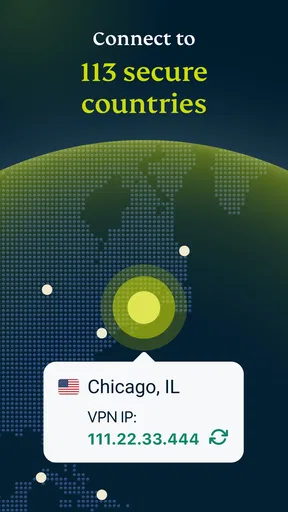
One of the first things you'll notice is the "Smart Location" feature. This nifty option automatically connects you to the optimal server based on your location. Of course, you can manually select from their vast array of servers spread across 94 countries if you prefer. Talk about choices!
Speed and Performance
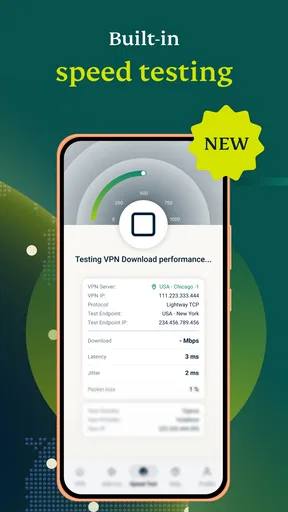
Now, let's talk speed. A common gripe with VPNs is the potential slowdown in internet speed. However, ExpressVPN seems to have cracked the code. I tested it on various connections, and the results were impressive. Streaming in HD, gaming, or just casual browsing, it handles it all with minimal lag.
The app uses the Lightway protocol, which is designed for speed and security. It's one of those "you'll notice when it's gone" features that makes a huge difference in performance. It's like cruising on a highway with zero traffic—smooth and fast.
Security Features
What sets this app apart is the robust security measures in place. We're talking AES-256 encryption, which is the gold standard. It's like having a digital bodyguard for your online activities. The "Network Lock" feature is another standout, acting as a kill switch to protect your data if the VPN connection drops.
For those concerned about anonymity, ExpressVPN has a strict no-logs policy. They don't track your activities, so you can breathe easy knowing your data isn't being collected.
Compatibility and Accessibility
One of the perks of this app is its compatibility. Whether you're using Android, iOS, Windows, or even a smart TV, ExpressVPN has you covered. The seamless integration across multiple devices is a game-changer. Plus, with a single subscription, you can connect up to five devices simultaneously.
Travelers will appreciate the ability to bypass geo-restrictions. Whether it's accessing your favorite streaming service or just browsing content from another country, this app makes it possible. It's like having a virtual passport!
For that reason, I’d treat location switching as a convenience rather than a promise that every catalog, website, or app will be available everywhere. Services can change how they handle VPN traffic, and access can depend on their own rules. If a particular platform is the main reason you want a VPN, check its current terms and test the workflow you care about instead of assuming a location change will always solve it.
How it compares with other VPN choices
Compared with a browser’s private mode, a VPN addresses a different part of the journey: private browsing mainly affects what is saved locally in the browser, while a VPN changes how your network traffic is routed. Neither is a replacement for the other, and neither prevents a signed-in service from associating activity with your account. I’d use private browsing for a shared-device session and a VPN when I specifically want a protected route over a network I don’t trust.
Compared with a basic VPN built into another service or a free VPN app, ExpressVPN’s appeal is its dedicated, location-focused setup and its emphasis on a simple connect-and-go experience. The trade-off is that free-to-download does not mean every use is free: the in-app purchase range matters if you are weighing it against an included or no-cost alternative. If you rarely need server choice and only want basic protection now and then, a simpler option may be enough. If you value a clear manual location choice and expect to use a VPN regularly, this app is easier to justify.
Choosing a location and building a useful routine
A small habit makes server selection less confusing: decide what you need before opening the location list. For ordinary browsing, start with the automatic suggestion. For a service that expects a regional connection, choose a location that makes sense for that task, then return to your usual choice afterward. This avoids leaving the phone on a distant server by accident, which can make later browsing feel slower for no benefit.
I’d also avoid treating every brief network interruption as a reason to panic. If the connection drops, pause anything sensitive and check whether the VPN has reconnected before continuing. Network Lock is designed to help protect data if the VPN connection drops, but I’d still be cautious during a banking session or while sending work information. A protective feature is most useful when paired with a quick check of what the app is actually doing.
For people who travel between home, work, and public networks, the practical benefit is consistency: the same app and familiar connection control are available in each setting. For someone who spends nearly all their time on a trusted home network and has no particular need to change connection routes, a VPN may be an unnecessary extra step. It can still be useful, but the decision should come from your routine, not from a vague promise of total anonymity.
Who I’d recommend it to
I’d point frequent travelers, café regulars, and people who often connect from shared networks toward this app, especially if they want manual location choice without learning a complicated interface. It also suits someone who is willing to pay for a dedicated VPN experience and understands that performance and access can vary with the network and destination.
I’d hesitate to recommend it to someone who expects a VPN to block every threat, guarantee access to every region’s content, or make an internet connection faster in all circumstances. It is also not the right first purchase for a user who only wants an occasional privacy measure and is uncomfortable with the in-app purchase range. In those cases, compare a lower-cost alternative or simply improve account protections first.
Customer Support
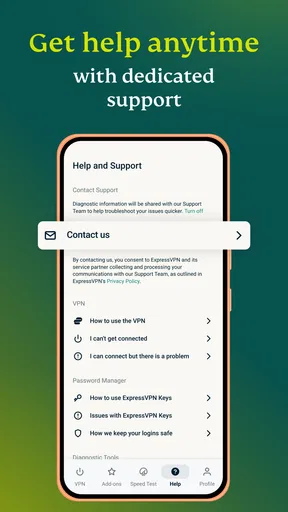
Even the best apps can run into issues, and that's where customer support comes in. ExpressVPN offers 24/7 live chat support. I tested it out, and the response was prompt and helpful. It's reassuring to know help is just a message away if you ever need it.
The app is rated for Everyone, has an average rating of 4.8 from around 453,000 ratings, and has been installed over 50 million times. Those figures suggest it is widely used, but they don’t tell me whether a particular server will suit my connection or whether a service I rely on will accept VPN traffic. I’d use the support option for setup or connection questions, while keeping realistic expectations about issues controlled by a website or local network.
Version 12.51.0 is the current release, and the app supports Android 7.0 and later. It first appeared on January 6, 2012, and has accumulated around 31,000 written reviews. If you’re deciding whether an older device can run it, the Android minimum is the detail to check; if you’re on iOS, use the requirements shown for your own device in its app store.
Final Thoughts
So, is ExpressVPN: VPN Fast & Secure worth it? In my book, absolutely. The combination of speed, security, and ease of use makes it a standout choice for anyone looking to protect their online presence. Whether you're a casual user or someone who demands top-notch security, this app delivers on all fronts.
My recommendation is narrower than “everyone should get a VPN.” I’d choose this one if I wanted a straightforward app, the option to select a server location, and a tool I could make part of a regular travel or public-Wi-Fi routine. I’d skip it if I expected anonymity from websites where I’m logged in, guaranteed access to blocked content, or a free service with no purchase considerations. Those expectations are better addressed by changing the goal—or choosing a different tool—before installing anything.
Ready to give it a whirl? You can download ExpressVPN from your app store and start your journey to safer browsing today. Trust me, you won't look back.
Privacy and Permissions
See what permissions an app requests and how it handles your data.
- Location
- approximate location (network-based), precise location (GPS and network-based)
- Photos/Media/Files
- read the contents of your USB storage, modify or delete the contents of your USB storage
- Storage
- read the contents of your USB storage, modify or delete the contents of your USB storage
- Camera
- take pictures and videos
- Wi-Fi connection information
- view Wi-Fi connections
- Other
- view network connections, full network access, run at startup, prevent device from sleeping
Verdict
Strengths of ExpressVPN: VPN Fast & Secure
- High-speed connections for streaming.
- User-friendly interface design.
- Wide range of server locations.
- Strong encryption ensures privacy.
- Reliable customer support available.
Limitations of ExpressVPN: VPN Fast & Secure
- Subscription plans can be costly.
- Limited features on free trial.
- May slow down internet slightly.
- Not all servers support P2P.
- Occasional connection drops.
Similar Picks in This Category
View All
Google LLC4.0

Gboard - the Google Keyboard
Google LLC4.5

Google Play services
Google LLC4.3

Google Play Store
Google LLC4.9

Files by Google
Google LLC4.5

SHAREit: Transfer, Share Files
Smart Media4U Technology Pte.Ltd.4.3
Frequently Asked Questions
What is ExpressVPN and how does it work?
ExpressVPN is a virtual private network (VPN) service designed to secure your internet connection and protect your privacy. It works by encrypting your data and routing it through a secure server, masking your IP address and ensuring your online activities are kept private from prying eyes.
Is ExpressVPN compatible with my devices?
ExpressVPN is compatible with a wide range of devices, including Android and iOS smartphones and tablets, as well as Windows, Mac, and Linux computers. Additionally, it supports routers, gaming consoles, and smart TVs, making it versatile for any household setup.
How does ExpressVPN ensure my online security and privacy?
ExpressVPN uses AES-256 encryption, one of the strongest encryption standards available, to secure your data. It also offers features like a kill switch, which disconnects your internet if the VPN connection is lost, and a strict no-logs policy, ensuring your online activities remain private.
What features does ExpressVPN offer for streaming?
ExpressVPN provides optimized servers for streaming, allowing you to access geo-restricted content from popular services like Netflix, Hulu, and BBC iPlayer. With high-speed servers and unlimited bandwidth, it ensures a buffer-free streaming experience across various platforms.
How user-friendly is ExpressVPN for beginners?
ExpressVPN is designed with a simple and intuitive interface, making it accessible for beginners. The app features one-click connections, automatic server recommendations, and 24/7 customer support to assist with any questions or issues that may arise, ensuring a smooth user experience for all levels.
